DriveMate 2.6
New Features
DriveMate Component Auto-Refresh Mechanism
A new Apex Action has been added that allows publishing a "refresh needed" event to refresh the component after changes to GDrive were done asynchronously.
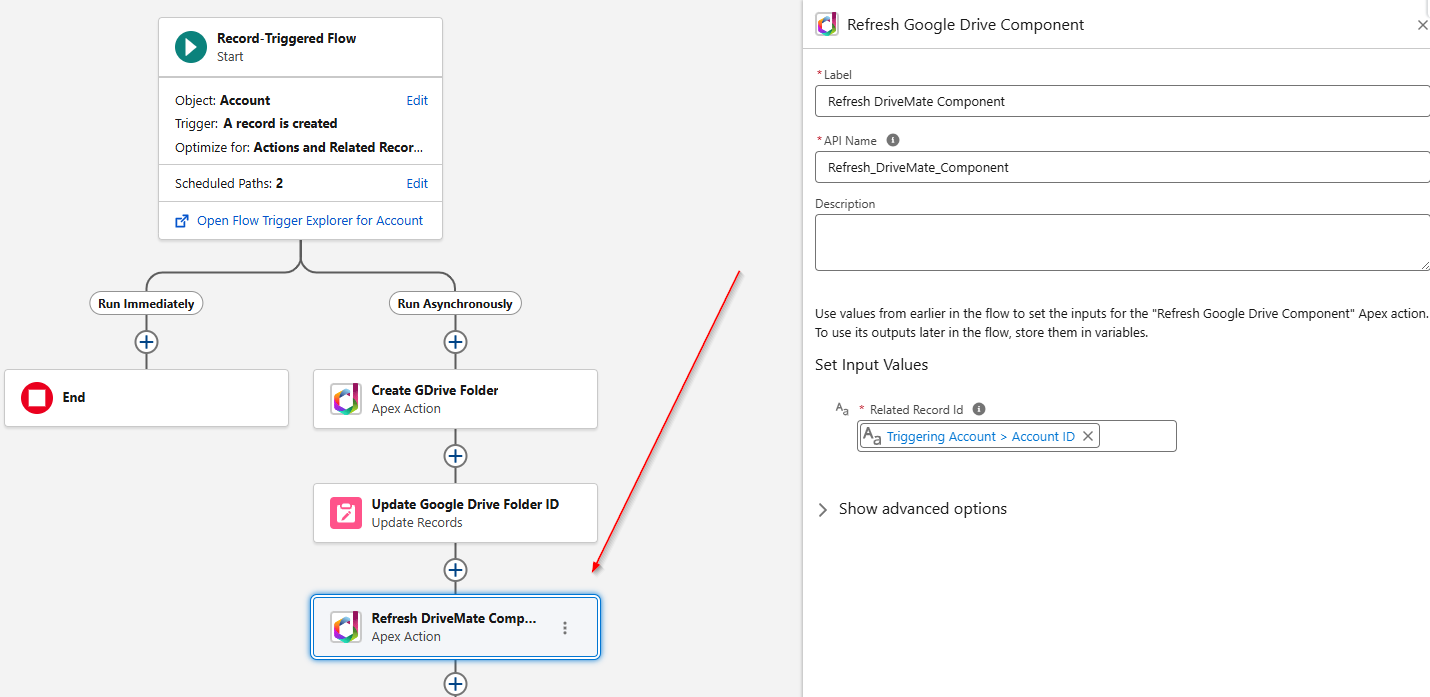
It is especially useful to use it in a flow that auto-creates a folder in Google Drive for the specific record and assigns a folder ID to this record.
By using the Refresh DriveMate Component Apex Action, the flow triggers the component refresh after the folder ID assignment. As a result, users don't need to refresh the page to see the appropriate Google Drive folder displayed in the component.
Simplified Apex Actions
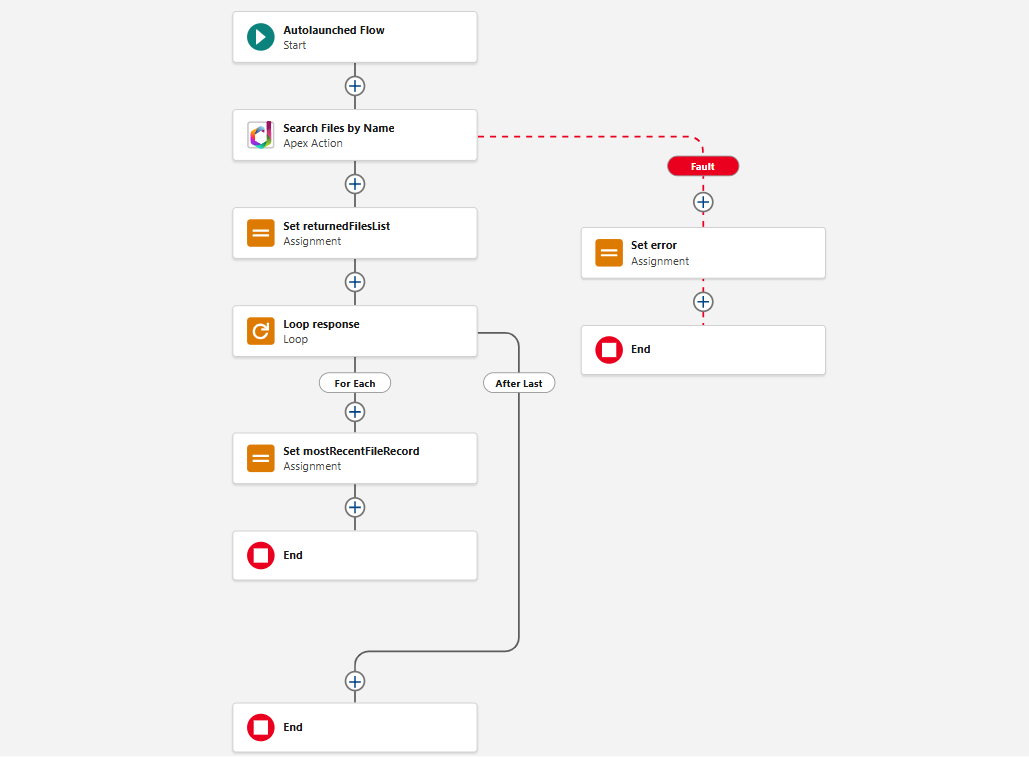
Each of the existing DriveMate Apex Actions now has its new equivalent with a simplified response structure. Thanks to that, there is no longer a need to iterate over unnecessary loops in flows that use DriveMate Apex Actions.
Here are the old actions with their new simplified equivalents:
Upload a file->Upload a file - Simple Response StructureCreate folder->Create folder - Simple Response StructureSearch Files by Name->Search Files by Name - Simple Response StructureSearch Folders by Name->Search Folders by Name - Simple Response Structure
Simplified Packaged Autolaunched Flows - Search Files and Search Folders
The packaged autolaunched flows are now using the simplified apex actions versions. Thanks to that, their internal logic is simplified. From the end-user perspective, their behavior is the same.